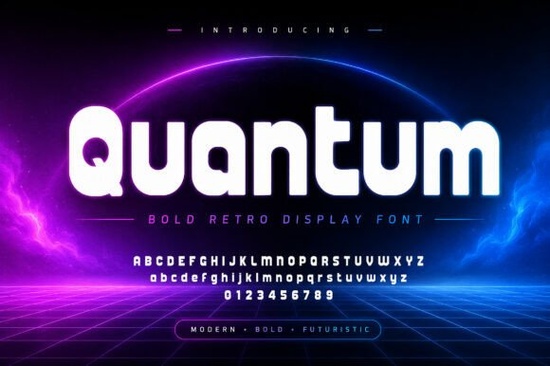
Finding a typeface that balances retro vibes with modern clarity can be tricky for designers and crafters. You want something bold enough to grab attention but smooth enough to remain readable. This is where Quantum Font comes in. It offers thick rounded letterforms that feel both vintage and futuristic, making it a solid choice for projects that need a strong visual identity without looking outdated.
Whether you are working on gaming graphics, tech branding, or YouTube thumbnails, the right font sets the tone immediately. Quantum delivers a fun yet memorable typographic presence. Its smooth curves help it stand out on packaging and apparel, while its bold structure ensures headlines pop on social media content. For anyone selling print-on-demand products or running a small business, having a versatile display font in your toolkit is essential.
What Makes This Typeface Stand Out?
The design of this font focuses on impact. Unlike standard sans-serif options, it uses thick strokes and rounded edges to create a friendly but powerful look. This combination works well because it feels approachable yet authoritative. The futuristic character adds a layer of novelty, which is useful for tech-related branding or sci-fi themed projects.
Designers often look for fonts that reduce the need for heavy editing. With Quantum, the letterforms are distinct enough to require minimal adjustment. You can place the text over a busy background, and it will still hold its ground. This saves time during the design process, allowing you to focus on layout and color rather than tweaking kerning or weight.
Where Can You Use This Style?
Versatility is key when investing in new design assets. This typeface shines in several specific areas:
- Gaming Graphics: The bold style fits well with stream overlays and logo marks.
- YouTube Thumbnails: High contrast ensures readability on small mobile screens.
- Packaging: The rounded edges look great on product labels and boxes.
- Apparel: Thick lines translate well to screen printing and embroidery.
- Posters: It creates eye-catching headlines for events or promotions.
When creating social media content, consistency matters. Using a distinctive font helps your audience recognize your brand instantly. If you post regularly, having a reliable display font helps maintain that visual identity across different platforms.
Looking for Similar Options?
Sometimes you need variations to match different moods while keeping a cohesive look. If you enjoy the rounded display style of Quantum, there are other options worth exploring. For a softer, more playful vibe, you might check out Cute Berry, which offers a fruit-inspired aesthetic. If you need something sharper for tech projects, Stratos provides a sleek alternative.
For projects requiring a nostalgic touch, Groovy Star captures a 70s feel with modern usability. Educators or those creating party invites might prefer Teachers Birthday for a celebratory tone. Finally, if you want something vibrant and feminine, Pinkora adds a splash of color to your typography stack. Having a few different display fonts allows you to adapt to various client needs without losing quality.
How Do You Install and Use It?
Once you download the font files, installation is straightforward. Most systems allow you to double-click the file to preview and install it directly. After installation, it will appear in your design software like Photoshop, Illustrator, or Canva. Remember to check the license terms before using it for commercial projects. Most Creative Fabrica products come with a license that allows use in print-on-demand and small business contexts, but verifying this ensures you stay compliant.
When pairing this font with others, keep it simple. Use a clean sans-serif for body text to let the display font shine in headlines. Avoid pairing it with another complex display font, as this can create visual clutter. The goal is to guide the viewer's eye, not confuse it.
Quick Checklist Before You Start
Before finalizing your design, run through these steps to ensure the best results:
- Verify the license covers your intended commercial use.
- Test readability on both desktop and mobile screens.
- Check contrast levels against your background colors.
- Ensure kerning looks even across all headlines.
- Save a version with outlined text for printing purposes.
Taking these small steps helps prevent issues later in the production process. Whether you are printing shirts or designing a digital ad, preparation ensures your final product looks professional. With the right tools and a bit of planning, you can create visuals that truly resonate with your audience.
Try It Free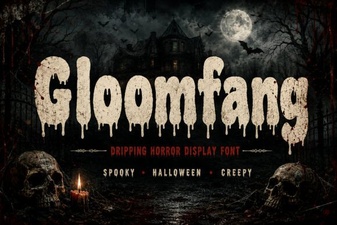 Gloomfang Font: a Designer's Gothic Typography Guide
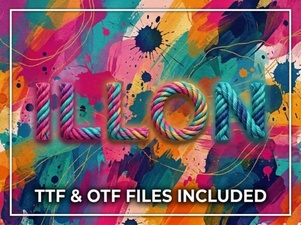 Illon Font: Creative Projects & Typography Ideas
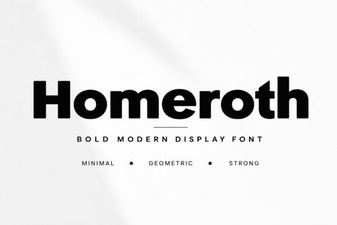 Craft with Style Using Homeroth Font
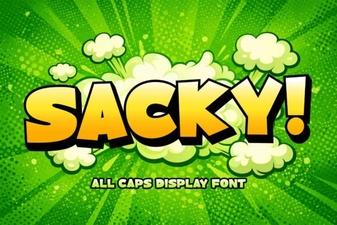 Download Sacky Font for Creative Designs & Typography
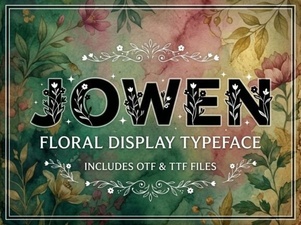 Jowen Font: a Modern Brush Script for Creative Projects
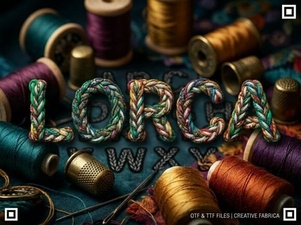 The Lorca Font: Modern Web Typography