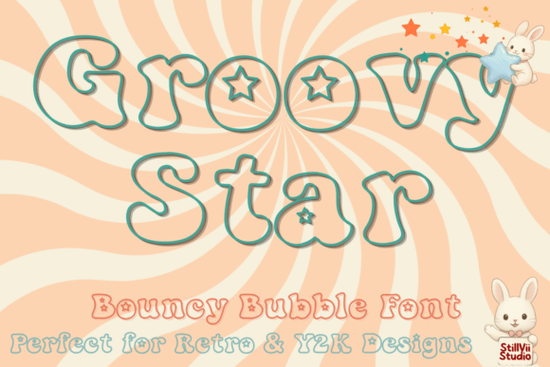
Finding the right typography can completely change the mood of a design project. If you are looking for something that brings back memories of the late 90s and early 2000s, the Groovy Star Font is a fantastic option to consider. This typeface combines a cute, bouncy bubble style with hollow letters that feature adorable star cutouts inside every character. It is infused with a vibrant retro and Y2K aesthetic that feels fresh yet nostalgic. Whether you are creating coloring pages for children or designing aesthetic t-shirts, this outline typography offers a playful energy that is hard to match.
Designers and crafters often struggle to find fonts that are fun without being too messy. This specific font solves that problem by keeping the outlines clean while adding unique details. The hollow structure makes it incredibly versatile for projects where you want the user to interact with the text, such as filling in colors or adding textures. It adds a splash of cosmic nostalgia and joyful energy to your next creative project today without overwhelming the rest of your layout.
What Makes This Typography Stand Out?
The defining feature of this typeface is the star cutout inside each letter. This small detail transforms standard text into a decorative element. Because the letters are outlined, they work well over busy backgrounds where a solid font might get lost. You can stroke the text with different colors or leave it black and white for a classic look. The bouncy baseline ensures that the text feels organic and hand-drawn, which aligns perfectly with current trends in hand-lettering and casual branding.
Another benefit is the readability. Despite the decorative stars, the core shape of each letter remains clear. This means you can use it for headings and short phrases without worrying about legibility. It pairs well with simple sans-serif fonts for body text, creating a balanced hierarchy in your designs. For small businesses selling digital planners or worksheets, this kind of distinct typography helps your products stand out in a crowded marketplace.
Where Can You Use This Bubble Style?
There are many practical applications for this kind of playful design. Here are a few ideas to get you started:
- Kids' Worksheets: The hollow letters are perfect for coloring activities. Teachers and parents can use them to make learning materials more engaging.
- T-Shirt Designs: Print-on-demand sellers can use this for apparel targeting teens and young adults who love retro vibes.
- Digital Planners: Use it for cover pages or section dividers to add a fun personality to your digital downloads.
- Social Media Graphics: Catchy quotes overlaid on Instagram stories look great with this bouncy style.
- Sticker Sheets: The outline format is ideal for die-cut stickers where the background needs to remain transparent.
When using this for commercial projects, always check the licensing terms. Most fonts on creative marketplaces allow personal use, but commercial licenses might require a separate purchase. Ensuring you have the right permissions protects your business and respects the creator's work.
Looking for Similar Retro Options?
If you enjoy this style but want to explore other variations, there are plenty of display fonts that capture a similar mood. We have reviewed several options that might fit your specific needs. For instance, if you want something with a bit more curve, you might enjoy the rounded display options like this specific typeface we covered previously. It offers a similar weight but with a different character structure.
For those who love the Y2K aesthetic, the similar retro vibe found in this collection is worth exploring. It brings a colorful energy that complements the star theme well. If you prefer something slightly cleaner, the outlines such as Convera provide a more structured look while maintaining a playful feel.
Sometimes you need something with a bit more height. The playful structures seen in Jowen can add vertical interest to your layouts. Finally, for bold choices like Imray, you can find heavier weights that work well for large headlines. Mixing these different styles can help you create a unique brand identity that doesn't rely on just one font.
How to Get Started with Your Design?
Once you have decided on the right typography, downloading and installing it is straightforward. Most files come in OTF or TTF formats, which work with standard design software like Adobe Illustrator, Photoshop, or Canva. After installation, you can access the font through your system's font menu. Experiment with letter spacing to ensure the stars inside the letters don't feel too cramped.
If you are ready to download the main product discussed in this article, you can find the Groovy Star Font on the marketplace. Always preview the glyphs before purchasing to ensure it includes all the characters and symbols you need for your project. Some fonts include multilingual support, which is crucial if you are designing for a global audience.
Quick Design Checklist
Before you finalize your project, run through this quick list to ensure the best results:
- Check the license for commercial use permissions.
- Test the font size on different devices to ensure readability.
- Pair with a simple body font to avoid visual clutter.
- Verify that the star cutouts remain visible at smaller sizes.
- Save a copy of your design with fonts outlined for printing.
Taking these steps will help you create professional-looking designs that resonate with your audience. Whether you are making a gift or selling a product, the right font adds that final touch of polish.
Get Started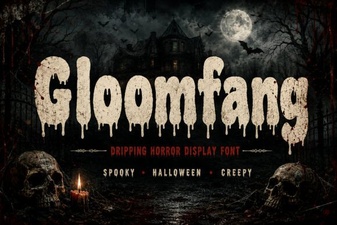 Gloomfang Font: a Designer's Gothic Typography Guide
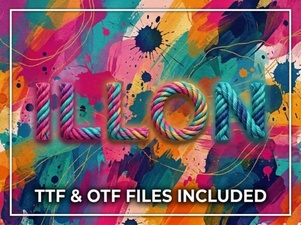 Illon Font: Creative Projects & Typography Ideas
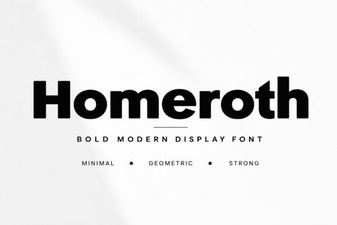 Craft with Style Using Homeroth Font
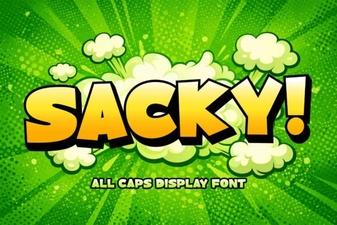 Download Sacky Font for Creative Designs & Typography
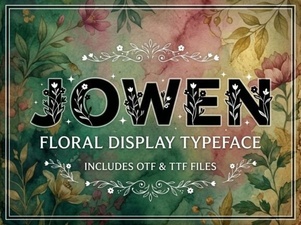 Jowen Font: a Modern Brush Script for Creative Projects
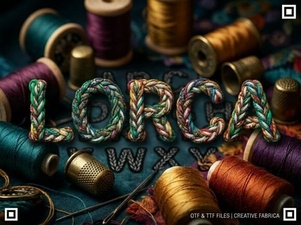 The Lorca Font: Modern Web Typography