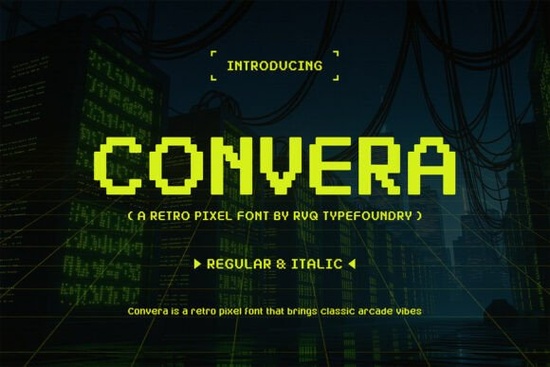
Finding the right typeface for a project that needs a nostalgic feel can be tricky. You want something that captures the spirit of old-school arcades without looking outdated. The Convera Font by RVQ Typefoundry is designed exactly for this purpose. It brings back the golden age of gaming with sharp, pixel-perfect shapes that work well in modern designs. Whether you are making a logo for a tech startup or designing a t-shirt for a gaming convention, this typeface offers a clean geometric form that stands out.
Pixel art has seen a massive resurgence in recent years. From indie video games to retro-themed merchandise, the 8-bit aesthetic is everywhere. Using a font that matches this style helps create a cohesive look. Convera provides both regular and italic styles, giving you flexibility when laying out text. The characters are built with clean pixel construction, ensuring they remain legible even when scaled down for social media posts or printed on small items like stickers.
What Makes This Typeface Suitable for Modern Designs?
While many retro fonts suffer from poor readability, this option maintains clarity. The uppercase and lowercase characters are distinct, and the punctuation marks are well-defined. This matters when you are creating long headlines or body text for a website. The futuristic cyber-inspired aesthetic adds a modern edge to the vintage vibe. It is not just about looking old; it is about blending nostalgia with current design trends.
Designers often worry about file compatibility. This product includes TTF files for both the regular and italic versions. These formats work across most design software, including Adobe Illustrator, Photoshop, and Canva. You can install them on both Windows and Mac systems without extra steps. This ease of use allows you to start creating immediately after downloading.
Where Can You Use Retro Typography?
The versatility of this font extends beyond video game titles. Print-on-demand sellers can use it for apparel designs that appeal to gamers and tech enthusiasts. Imagine a hoodie with a bold, pixelated slogan across the chest. Small businesses in the tech sector might use it for branding materials to signal innovation rooted in digital history. Streaming graphics also benefit from this style, as overlay text needs to be bold and easy to read on small screens.
If you are working on a project that requires a different kind of display energy, you might explore other options. For example, if you need something with more fluid curves, you could look into styles similar to Lorca. Alternatively, for projects needing a heavier impact, designs like Homeroth might fit the bill. It is always good to compare a few choices before finalizing your brand identity.
How Does It Compare to Other Display Options?
When choosing a display font, context is key. Some projects need a playful vibe, while others require strict geometry. Convera sits firmly in the geometric camp with its cyber-inspired look. If you are looking for something groovier or more organic, you might consider alternatives like Groovy Star. For those who prefer a stark, high-contrast look, options such as Quantum provide a different visual weight.
Another strong contender in the display category is Illon, which offers a unique structure compared to pixel-based types. Comparing these helps you understand where Convera fits in your toolkit. It is specifically tailored for that digital adventure atmosphere, whereas others might lean more towards print or editorial use. Understanding these nuances ensures you pick the right tool for the job.
Technical Details and File Usage
The product content includes two main files: Convera (TTF) and Convera Italic (TTF). Installing these is straightforward. On Windows, you can right-click the file and select "Install." On Mac, you can double-click to open Font Book and click "Install." Once installed, the font will appear in your application's font menu under "Convera."
For those interested in the history of this aesthetic, you can read more about Convera Font and its design roots. Understanding the background of pixel typography can help you apply it more effectively in your work. The multilingual support included in many modern fonts also ensures you can reach a global audience, though you should verify specific character sets before starting international projects.
Quick Checklist for Using Pixel Fonts
Before you finalize your design, run through this short list to ensure the best results:
- Check Legibility: View your text at the actual size it will be used to ensure the pixels don't blur.
- Contrast Matters: Pixel fonts work best against solid backgrounds rather than busy images.
- Pairing: Combine this display font with a simple sans-serif for body text to maintain balance.
- License Check: Always review the license terms for commercial use, especially for print-on-demand items.
- File Format: Ensure your printing service accepts TTF files or convert outlines if needed.
By keeping these tips in mind, you can create designs that feel both nostalgic and professional. The right font choice sets the tone for your entire project, and a well-crafted pixel typeface can make your work instantly recognizable.
Get Started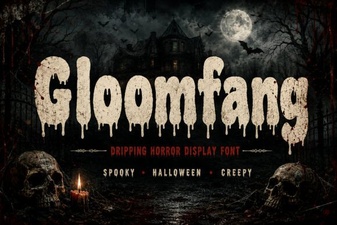 Gloomfang Font: a Designer's Gothic Typography Guide
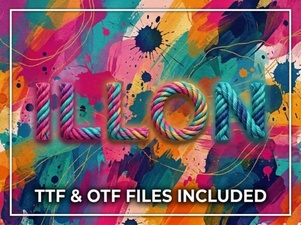 Illon Font: Creative Projects & Typography Ideas
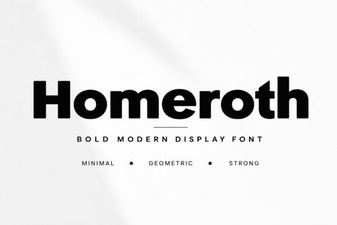 Craft with Style Using Homeroth Font
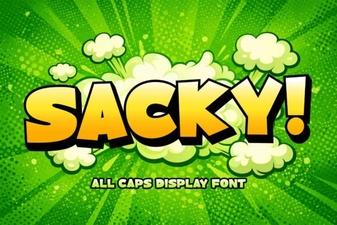 Download Sacky Font for Creative Designs & Typography
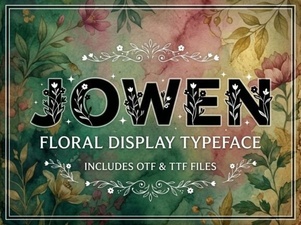 Jowen Font: a Modern Brush Script for Creative Projects
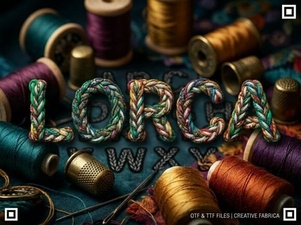 The Lorca Font: Modern Web Typography