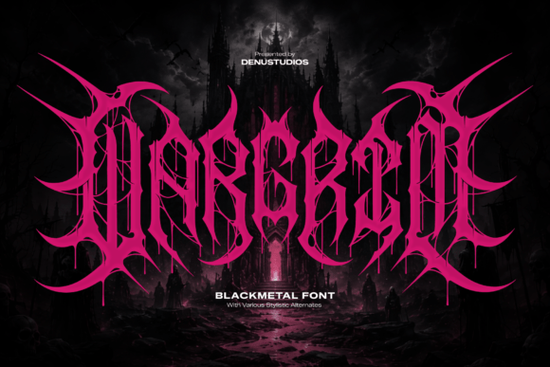
If you are working on a project that needs heavy visual impact, specific typography matters. The Wargrim Font is designed for exactly this purpose. It brings a visceral energy to layouts that require an underground feel. This isn't your standard serif or sans serif; it is built for aggression and style. Designers often struggle to find typefaces that convey raw power without sacrificing legibility entirely. This typeface solves that by balancing chaotic details with recognizable letterforms. It works best when you need to grab attention immediately.
What kind of projects suit this typeface?
Not every font works for every job. This specific style leans heavily into the extreme metal and dark fantasy aesthetics. If you are creating album art for a deathcore band, this is likely what you have been looking for. The jagged edges and liquid-dripping stems mimic the intensity of the music itself. Beyond music, there are several other industries where this style fits naturally.
Streetwear apparel lines often need logos that stand out on a t-shirt or hoodie. The high-contrast magenta pink mentioned in the preview images suggests it pops well against dark backgrounds. You might also consider using it for underground music festival flyers. These events rely on visual cues to tell the audience what kind of vibe to expect before they even read the date or location. Gaming titles, especially those in the dark fantasy genre, benefit from this kind of typography because it suggests danger and adventure.
When you are browsing for similar vibes, you might explore other options in the gothic and blackletter collection to see how different weights compare. Sometimes a slightly less aggressive style is needed for secondary text, while this one takes the lead on the main logo.
How do the letterforms affect readability?
Display fonts like this one come with trade-offs. The intricate details, such as the razor-sharp skeletal barbs and root-like webbed tendrils, are beautiful but complex. You cannot use this for body text. It is strictly for headlines, logos, and short phrases. If you try to write a paragraph with it, your audience will struggle to read it. The interlocking uppercase characters are designed to be seen at large sizes.
To maintain clarity, keep your line spacing open. Do not crowd the letters too closely together unless you are going for a specific stacked logo look. The chaotic nature of the design means that negative space is your friend. Use it to let the unique shapes breathe. When scaling down for social media headlines, ensure the smallest details do not disappear. On mobile screens, intricate strokes can blur if the resolution isn't high enough. Always test your design on multiple devices before finalizing.
What are the best pairing options?
Choosing a secondary font is crucial when using a display typeface this bold. Since the primary font is so busy, your supporting text should be quiet. A clean sans-serif works best here. You want the viewer to focus on the main title without distraction. Geometric sans-serifs provide a modern contrast to the organic, jagged lines of the main font.
Avoid pairing it with another decorative font. Two competing styles will confuse the eye. Stick to simple weights for information like dates, locations, or pricing. If you are designing merchandise, put the main logo on the front using this font and use a simple typeface on the back for care instructions or website URLs. This hierarchy helps guide the customer through the design logically.
How should you prepare files for print?
When sending designs to a printer, vector formats are essential. Because this font has many small points and sharp edges, rasterizing it too early can cause pixelation. Always keep a master file in your design software where the text remains editable. This allows you to make quick changes if a client requests a spelling adjustment or a layout tweak.
Color choice also plays a huge role. The default preview often shows high-contrast colors like electric pink against dark backgrounds. You can change this, but keep the contrast high. Light gray on white will not work. The details need shadow and depth to be visible. If you are printing on dark garments, ensure your ink coverage is solid. The thin tendrils might break up if the screen mesh is too coarse during screen printing.
- Check sizing: Ensure the font is large enough for the intricate details to remain visible.
- Contrast matters: Use light colors on dark backgrounds or vice versa to maintain legibility.
- Limit usage: Reserve this typeface for headlines and logos, not body copy.
- Vectorize: Convert text to outlines before sending to print to avoid missing font errors.
- Test on mobile: Verify that the design reads clearly on small social media thumbnails.
Using the right tools makes the process smoother. Start by sketching your layout on paper to see where the heavy letters fit best. Then move to your digital workspace. Remember that less is often more when dealing with such a strong visual element. Let the font do the heavy lifting for your brand identity.
Download Now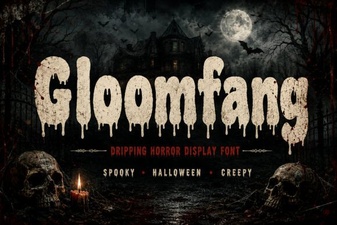 Gloomfang Font: a Designer's Gothic Typography Guide
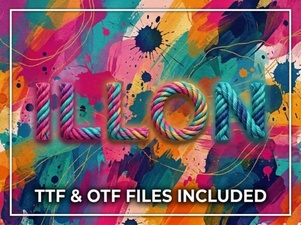 Illon Font: Creative Projects & Typography Ideas
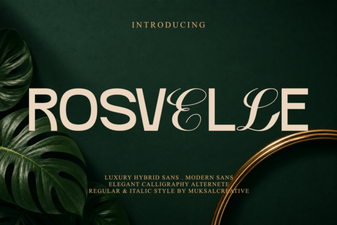 Explore Rosvelle Font for Creative Projects
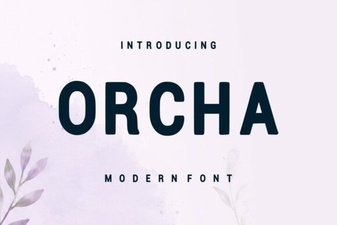 Download Orcha Font for Creative Projects
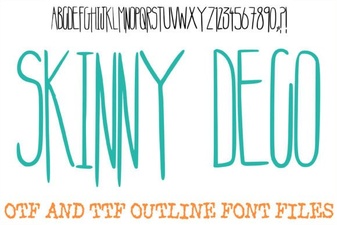 The Skinny Deco Font for Modern Graphic Design
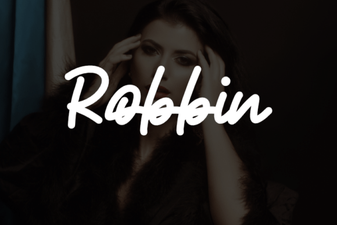 Robbin Font: Creative Typeface Ideas and Applications